Monitor every log.
Fix issues faster.
Collect logs from your websites, APIs, and applications in one beautiful dashboard. Search, monitor, and debug with confidence.
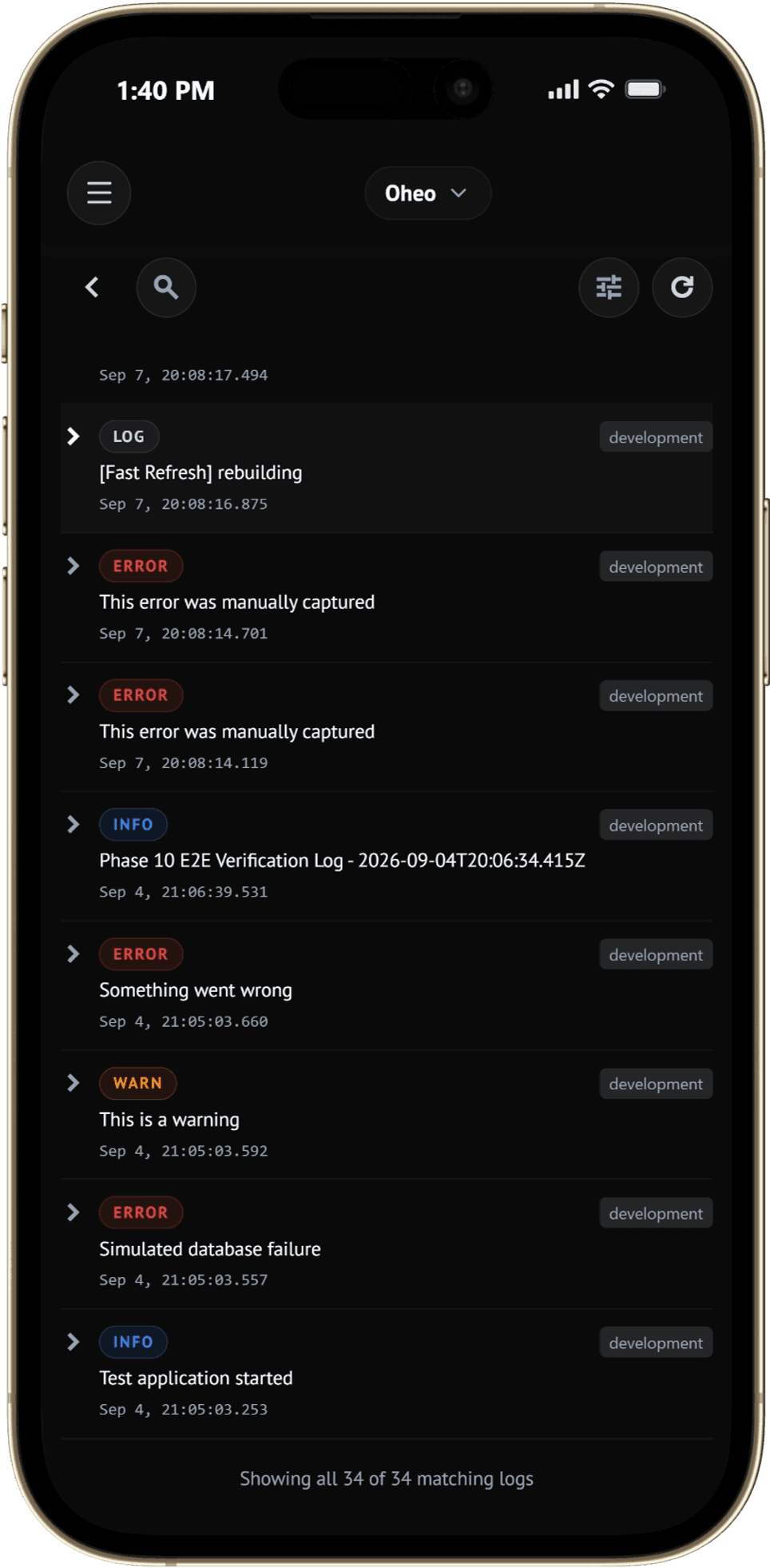
Everything in one place.
Monitor projects, inspect logs, track errors and keep your applications healthy from a single unified workspace.
Dashboard
Real-time telemetry and error monitoring for active projects.
Logs Today
0
Errors
0
Warnings
0
Projects
0
Recent Logs
User logged in successfully.
Slow response from payments API (420ms).
Database connection timeout on pool-04.
Webhook event #evt_9912 delivered.
Your logs shouldn't feel like archaeology.
When something breaks, the last thing you need is another terminal tab.
Scattered logs
Jumping between servers, containers, and environment logs manually.
Missing context
A bare stack trace without the sequence of events leading up to it.
Slow debugging
Searching thousands of lines of terminal output just to find one clue.
Production panic
Something breaks and everyone is urgently asking, 'What happened?'
Logged turns that mess into a timeline you can actually follow.
How Logged processes your data
From execution in your app to instant visibility on your screen.
1. App Event Triggered
Your frontend, API server, or background worker executes an action (e.g. checkout API call).
2. Lightweight SDK Ingestion
@oheoco/logged batches events asynchronously without blocking main thread execution.
3. Context Enrichment & Parsing
Logged correlates headers, user ID, environment tags, and preceding stack traces.
4. Instant Dashboard Stream
Event rendered on your dashboard in under 50ms with instant search & smart grouping.
Built for the moment things go wrong.
One dashboard. Every environment.
Development, staging, production—keep your application's activity organized without switching between terminal tabs.
Context over clutter.
A log shouldn't just tell you that something failed. Logged helps you see what happened right before and after.
Find the signal faster.
Filter, search, and narrow down your logs instantly instead of scrolling through an endless wall of text.
Built for developers.
No complicated observability setup. No giant infrastructure project. Just install, send logs, and start debugging.
Ready out of the box
Zero infra setup
A few things about debugging
Most bugs don't announce themselves.
A production issue can start as one tiny warning long before it becomes an obvious failure.
More logs ≠ better debugging.
Thousands of unstructured messages can make finding the important one harder, not easier.
Context changes everything.
Without context: Payment failed
User action → API call
Your logs are part of your application's memory.
They record what your system was doing when nobody was actively watching.
“Don't just collect logs. Understand them.”
Debugging shouldn't be a scavenger hunt.
console.log() everywhereTerminal scrolling“Which server was that?”Search through raw text filesReproduce the bug againLess hunting. More fixing.
From zero to logging in minutes.
No complicated observability setup. No giant infrastructure project. Just install the lightweight SDK and start sending structured events directly to your dashboard.
import { Logged } from "@oheoco/logged";

const logger = new Logged({
  apiKey: process.env.LOGGED_API_KEY,
});
Get started in minutes
No complicated setup. Just create a project, grab your key, send logs, and start debugging.
Create a Project
Organize your web apps, microservices, and APIs in dedicated project spaces.
Copy Your API Key
Every project gets a secure API key to authenticate log ingestion.
Install the SDK
Add `@oheoco/logged` to your app and initialize with a couple lines of code.
Start Monitoring
Logs stream live into your dashboard with instant search & filter controls.